The Halftone Camera.
One ink. A thousand shades.
Change the screen and watch an image become a field of marks.
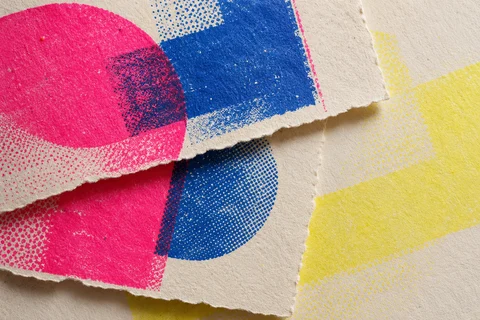
From a reference / Risograph Ephemera
How much detail can one ink describe?
Make a mark earn its place.
Explore the connection & keep your decisions
The printed-dot reference gives you a reason to inspect marks at two scales: the individual dot and the image it helps form.
What this experiment representsThis is a screen-based dot construction, not a measured model of ink spread or press resolution.
Read the study and its source notesTry one considered change.
- Keep the source fixed and record a coarse screen.
- Increase the screen frequency without changing the source.
- Compare tonal clarity at reading size and the character of individual marks up close.
Your judgement / optional
Keep the reason with the result.
Notes stay on this device when saved. Copying a study link includes them. The reference guides your thinking; choosing it does not apply a palette.
A local image stays in this tab and is not embedded in a shared settings link. Keep the SVG output or reselect the image.
Continuous tone
Six cells across
Column 25 / row 25
Tone is a matter of distance.
A screen replaces shades with differently sized marks in one ink. Up close you read the construction; at a distance the eye gathers the marks into an image. The two views below the print hold those readings together.
Use the Halftone Plate component ↗Leave room for the paper.
Each cell samples a tone. Mark area follows its darkness, multiplied by the ink-gain setting. Marks stay separated by at least eight percent of the cell width. Coverage reports geometric ink area inside the image, excluding the paper margin.
The built-in scenes are authored geometry. Local images use a weighted sRGB grayscale approximation and a centre crop. This is a tonal design tool, not a calibrated print or physical dot-gain simulation. Export contains the vector marks and settings; no original image file is embedded.